
Trusted by Companies


Streamline log monitoring for
Enhanced Troubleshooting
Get all the infrastructure and application logs on a unified observability platform with one script installation.
The correlation of logs with metrics and traces helps to troubleshoot issues faster.

Monitor logs seamlessly across your
entire stack.
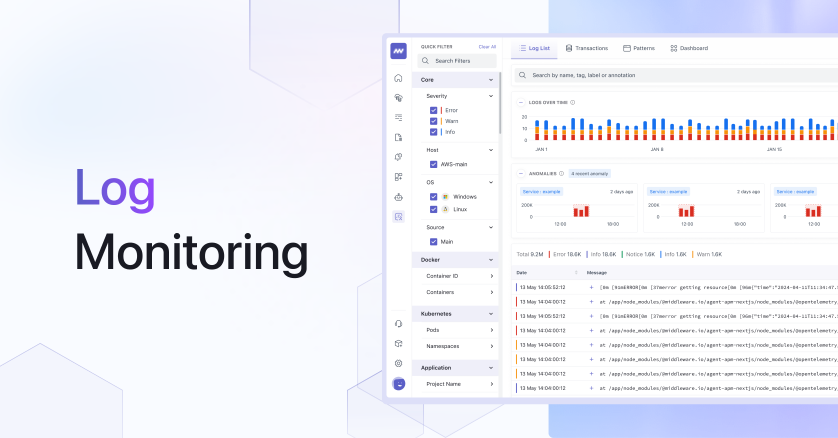
Log monitoring gives you complete visibility, real-time search, and powerful insights into your
applications and system. see all logs from everywhere.

Centralized log monitoring
- Collect and monitor logs in real-time from all systems and applications in one place.
- Use search option and advanced filters to analyze logs and find patterns easily.
- Save and reuse the search query for faster troubleshooting. View historical log data with the time travel feature.

Correlation with other observability data
- Correlate logs with metrics and traces simultaneously allows you to dive deep into any specific issue and find the root cause.
- Correlation makes identifying patterns in logs or issues simple, allowing for faster resolution.
- It improves troubleshooting and problem resolution by providing a more comprehensive view of system and application behavior.

AI-based alerts on logs
- Get default alerts for critical and error logs in your system with Middleware AI-based alerts..
- Enables the creation of custom alerts and notifications based on specific log data, providing proactive monitoring for critical issues.
- Allows you to set alert thresholds to ensure that only relevant alerts are sent.

Easy to set up and Cost-effective.
- It will be simple to obtain all of your environment’s 100% logs with a single script installation.
- Store log data on your cloud to reduce cost by 10X.
- Reduce operational overhead by streamlining performance and troubleshooting issues faster.





What is Log Monitoring?
Log Monitoring is a tool that helps you collect, analyze, and correlate log data from across your tech stack to identify trends, patterns, and issues, and improve performance.
Can I collect logs from multiple sources?
Yes, Middleware’s Log Monitoring allows you to collect logs from across your stack, including applications, cloud services, and on-premises infrastructure, in a single, unified view.
How can I quickly find specific log data?
With Middleware’s Log Monitoring, you can easily search logs by typing text, using regex search and operator search options, and save and reuse filters for faster troubleshooting.
How does Log Monitoring help with issue resolution?
Middleware’s Log Monitoring helps you identify and resolve issues faster with automated log correlation, alerting, and notification capabilities, and provides comprehensive insights by correlating logs with metrics and traces.
Can I view historical log data?
Yes, with Middleware’s Log Monitoring, you can view historical log data with the time travel feature, analyzing log data from up to 6 months ago to identify trends and patterns.
